

Download Blogger – Free, Secure, Easy‑to‑Use Blogging Tool for Windows, Mac, Android & iOS
Overview & First Impressions
Blogger, formerly known as Blogspot, is Google’s long‑standing, free‑to‑use web application that lets anyone launch a fully functional blog in just a few clicks. The platform is built on the reliable Google infrastructure, which means your content is stored securely in the cloud and benefits from Google’s fast load times and automatic backups. Signing in is straightforward: a Google Account is all you need, and there’s no additional software to install.
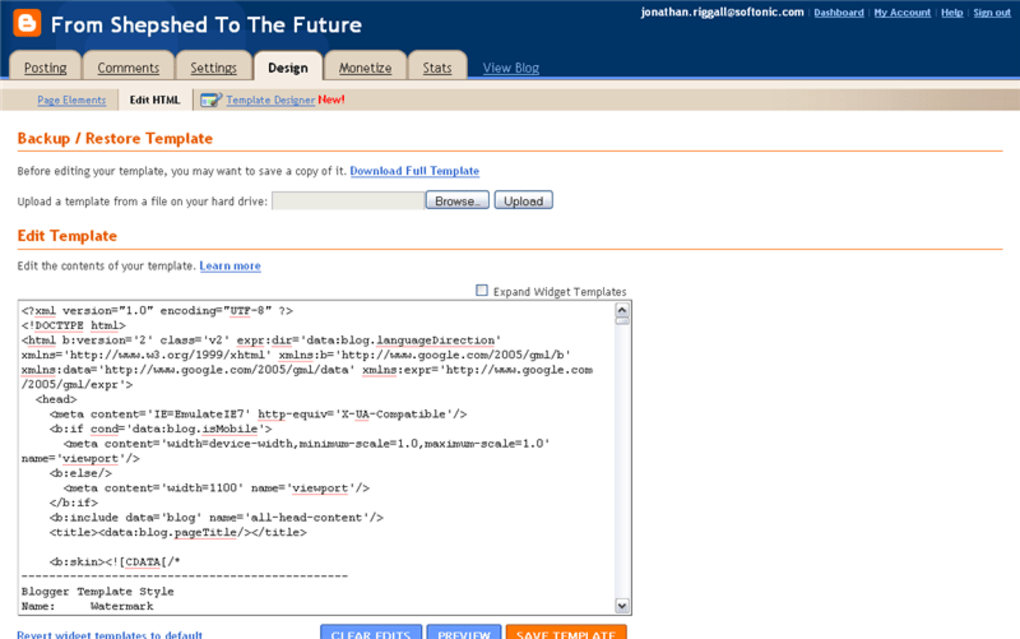
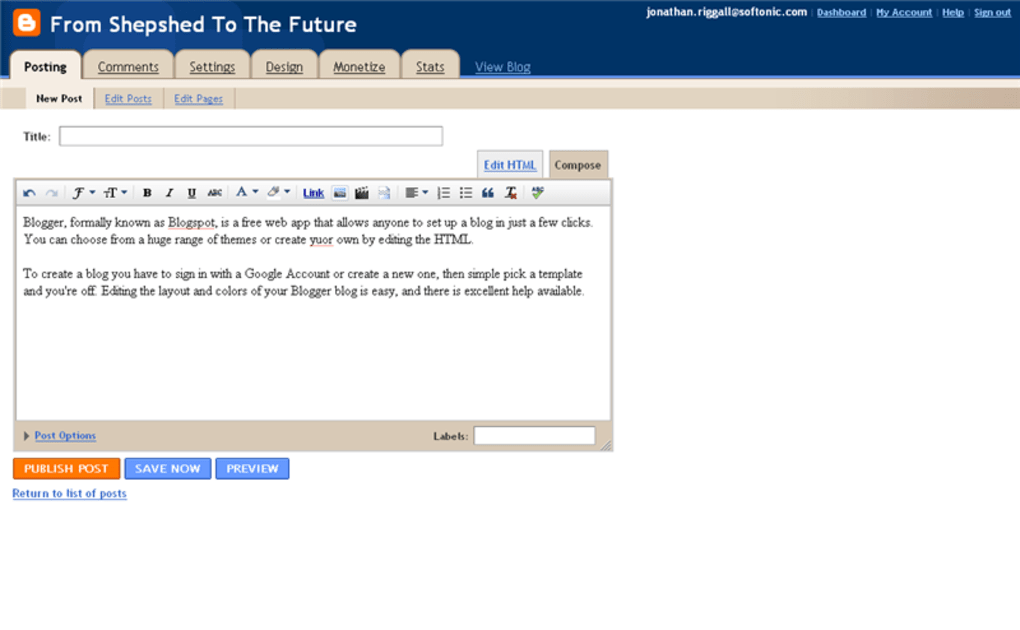
Once logged in, you choose from a library of responsive themes or dive into the HTML editor to craft a truly custom look. The editor itself offers a split view with a “Simple” tab for drag‑and‑drop styling and an “HTML” tab for those who want to tinker with code, making it an ideal learning ground for beginners who want to dip their toes into web development. Publishing a post is as easy as typing into the “New Post” field, hitting “Publish,” and watching your content appear instantly on the web.
Managing comments, toggling email notifications, and scheduling posts are all handled from a clean, intuitive dashboard. Compared with heavyweight competitors like WordPress, Blogger’s biggest strength is its simplicity—there’s no need to worry about hosting, security patches, or plugin compatibility. For anyone looking for a low‑maintenance, beginner‑friendly blogging platform that still offers room for growth, Blogger remains a solid choice.
Key Features That Make Blogger Stand Out
- Free Hosting on Google’s Servers – No hidden fees, unlimited bandwidth, and automatic SSL encryption.
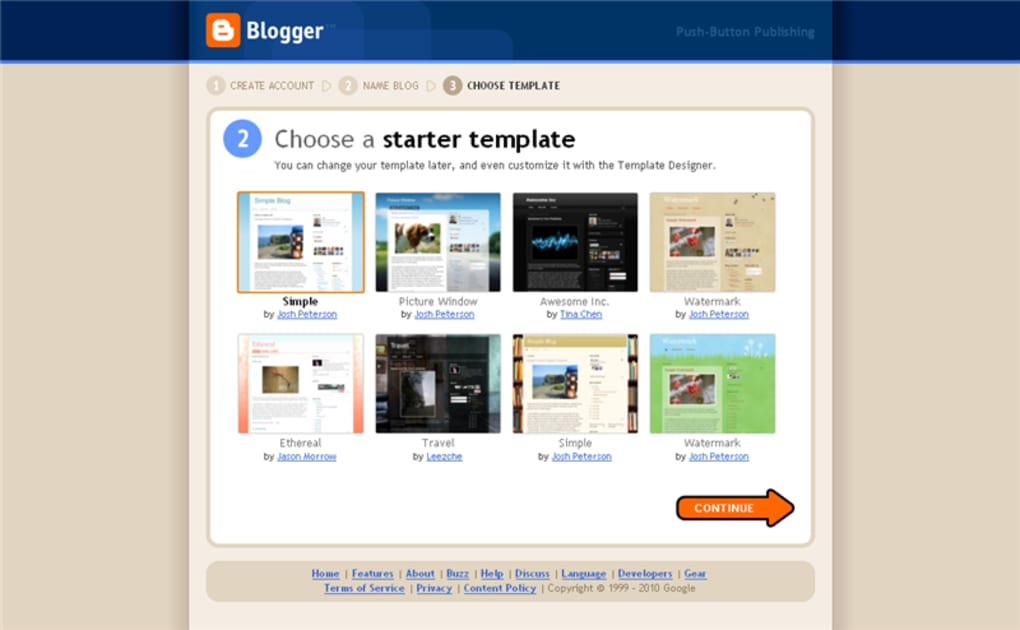
- Responsive Theme Library – Choose from dozens of mobile‑friendly templates that adjust to any screen size.
- Simple vs. HTML Editing Modes – Switch between a WYSIWYG editor and full HTML access without leaving the platform.
- One‑Click Publishing – Draft, schedule, or instantly publish posts with a single button.
- Integrated Google Analytics – Connect your blog to Google Analytics for detailed traffic insights.
- Built‑In Comment Moderation – Approve, delete, or flag comments directly from the dashboard.
- Custom Domain Support – Use your own domain name while still benefiting from Blogger’s hosting.
- SEO‑Friendly URLs – Clean, readable URLs that help search engines index your content.
- Multi‑User Collaboration – Grant author or administrator roles to team members.
- AdSense Integration – Monetize your blog easily with Google AdSense.
How to Install, Set Up, and Start Publishing
Because Blogger is a web‑based application, there is no traditional “installation” process. All you need is a modern browser (Chrome, Firefox, Safari, or Edge) and an active internet connection. Follow these steps to get started:
- Create or sign in with a Google Account. If you already use Gmail, you’re ready to go.
- Visit the Blogger dashboard. Navigate to blogger.com and click “Create New Blog.”
- Pick a title and URL. Choose a memorable blog name and a custom .blogspot.com address (or link a personal domain later).
- Select a theme. Browse the theme gallery, preview each option, and click “Apply” to set it as your default layout.
- Customize the design. Use the “Layout” and “Theme” tabs to adjust colors, fonts, and widget placement. Advanced users can click “Edit HTML” for deeper customization.
- Write your first post. Click “New Post,” enter a title, and start typing. Use the toolbar for formatting, add images via the “Insert Image” button, and toggle to the HTML view if needed.
- Publish and share. Hit “Publish” and copy the post URL to share on social media or email newsletters.
Compatibility: Blogger runs on any operating system that supports a modern web browser, including Windows, macOS, Linux, Android, and iOS. Because it is cloud‑based, you can manage your blog from a desktop computer, tablet, or smartphone without installing additional software.
Pros, Cons, Frequently Asked Questions & Final Verdict
Pros
- Completely free with unlimited storage.
- Zero‑maintenance hosting and automatic security updates.
- Intuitive interface ideal for beginners.
- Seamless integration with Google services (Analytics, AdSense, Drive).
- Responsive themes ensure mobile‑friendly design out of the box.
Cons
- Limited extensibility compared with WordPress plugins.
- Design customization options are less granular than self‑hosted platforms.
- Exporting content can be cumbersome if you decide to migrate.
- Advanced SEO features require manual tweaks.
- Branding is tied to Google, which may not suit all professional sites.
Frequently Asked Questions
Is Blogger really free, or are there hidden costs?
Blogger is completely free. Google provides unlimited storage, SSL encryption, and a custom domain mapping feature at no charge. The only optional expense is purchasing a custom domain name from a registrar.
Can I use my own domain with Blogger?
Yes. Blogger allows you to map any registered domain (e.g., yoursite.com) to your blog. You’ll need to update DNS records with your domain registrar, and the process is outlined in Blogger’s help center.
How does Blogger handle SEO?
Blogger automatically generates clean URLs and provides meta‑title and description fields for each post. For advanced SEO, you can edit the HTML template, add canonical tags, and integrate Google Search Console.
Is my content safe if Google decides to shut down Blogger?
While no platform can guarantee eternity, Google has a strong track record of supporting Blogger for over two decades. You can always export your blog as an XML file to migrate to another service.
Can I monetize my Blogger blog?
Absolutely. Blogger integrates directly with Google AdSense, allowing you to display ads and earn revenue. You can also add affiliate links or sell products through embedded widgets.
Overall, Blogger delivers on its promise of a hassle‑free, secure, and cost‑free blogging experience. Its straightforward interface makes it perfect for beginners, while the ability to edit HTML and link a custom domain gives more seasoned users room to grow. If you’re looking for a platform that requires virtually no maintenance, offers solid Google ecosystem integration, and lets you publish content instantly, Blogger is a compelling option. For those who need extensive plugins or deep theme customization, a self‑hosted solution like WordPress might be more appropriate, but for most personal bloggers, hobbyists, and small businesses, Blogger hits the sweet spot.
Blogger remains a standout free blogging platform thanks to Google’s reliable infrastructure, intuitive editor, and seamless integration with other Google services. While it lacks the extensive plugin ecosystem of WordPress, its simplicity, responsive themes, and zero‑cost hosting make it an excellent starting point for anyone new to blogging or looking for a low‑maintenance web presence.



.png)



